Mobile safety app

Press the button. Help is sent.

Duress buttons, instant alerts to your whole team, and a backup call to 911 - so help is on the way the moment someone needs it.

Interactive demo

Press the button. Watch what happens.

One press sends a duress alert to the worker's contact network and starts a backup call to 911. Here is the same moment from both sides.

Lone Worker

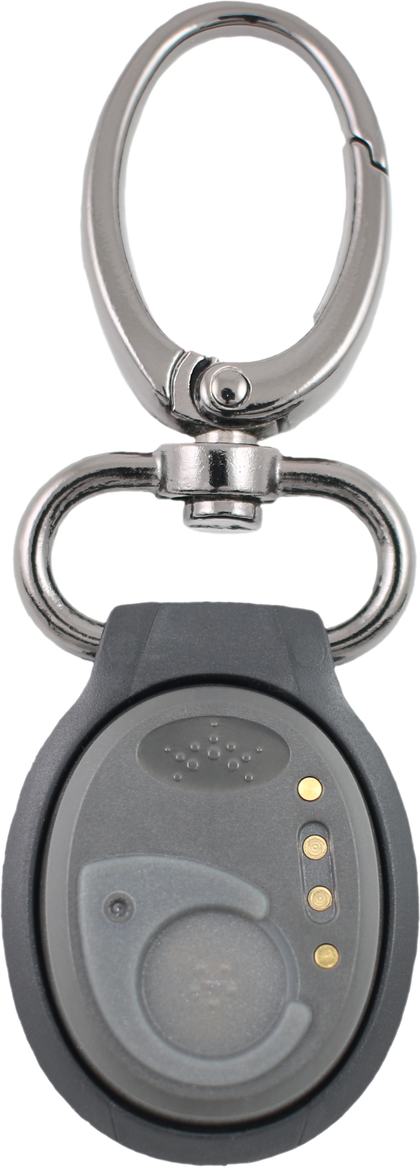
SolusGuard wearable duress button

Clipped to a belt or worn as a pendant.

Worker's phone at rest on the home screen
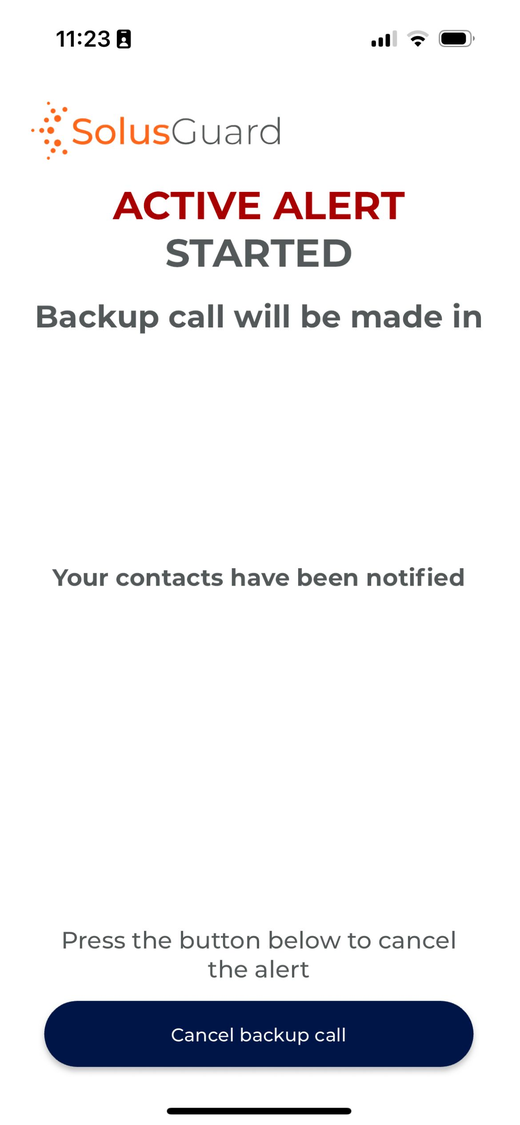
SolusGuard app: active alert started, backup call countdown running
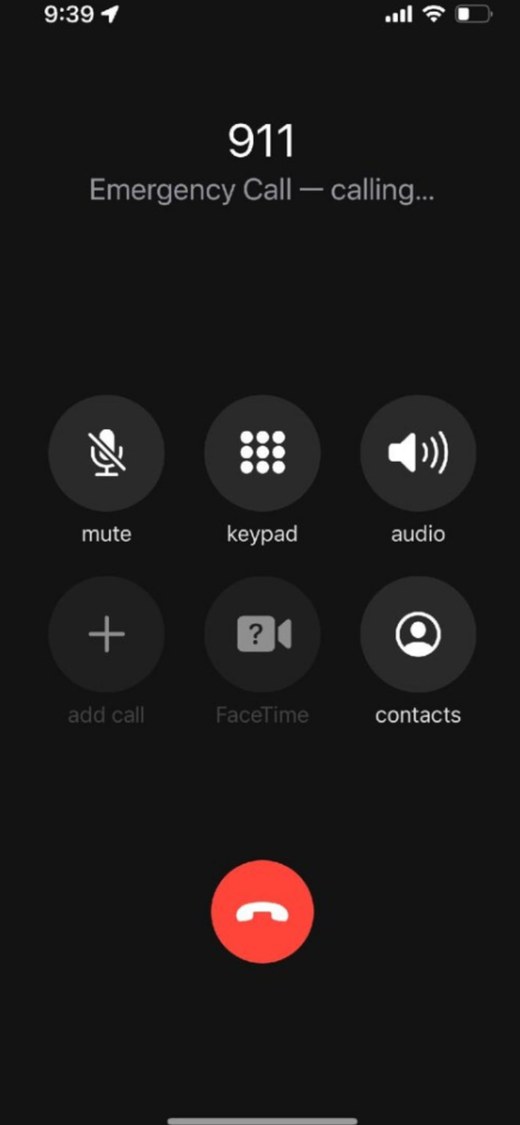
Phone placing an emergency call to 911

Manager

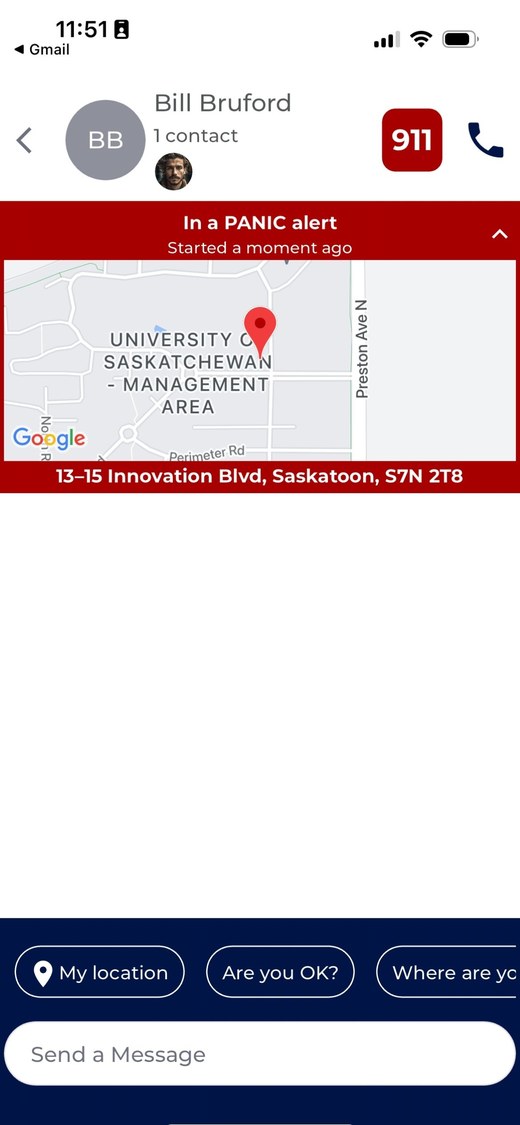
Manager's phone at rest on the home screen SolusGuard alert feed showing Bill Bruford's active panic alert and location
O1

Operator 1919

Alert received. Are you OK? Please respond.

4:01 PM

SD

Sam Donald

I'm close - I'll swing by and give him a quick check.

4:02 PM

Thanks, Sam. Keep us posted.

4:03 PM

Emergency backup call is being placed
Bill Bruford has cancelled the panic alert

One press was all it took. Contacts were notified, the location was shared, responders coordinated, and 911 was dialled automatically - and the worker never had to touch their phone.

One press was all it took. Contacts were notified, the location was shared, and the alert was stood down the moment the worker confirmed they were safe.

How it works

4 steps for rapid, reliable response

Press button for help

When trouble strikes, a quick press on the wearable panic button - whether clipped to clothing or worn as a pendant - activates the alert system.

1
2

Instant notifications

The employee's pre-set emergency contacts are immediately alerted with key details and the precise location of the employee.

Automatic emergency call

If the alert isn't cancelled by the employee within a predetermined period of time, their phone automatically calls 911 - ensuring help is on its way even if the employee is unable to make the call.

3
4

Rapid response

Local first responders or the organization's internal security team respond to the employee's exact location, providing the swift support needed.

Free Assessment

How Does Your Safety Program Measure Up?

Take a short assessment to get your personalized Report Card - the legislation that applies to you, and where your gaps are.

Get My Report Card

Takes 5 minutes. Completely confidential.

Better Safety, By Design

Panic Button Features

Our wearable panic button is trusted by professionals - from probation officers to homecare nurses - to secure rapid help in emergencies, eliminating the need to fumble with a phone or search for a wall-mounted button.


Feature 1 icon for small and discrete wearable device

Small and Discrete

Measuring 3.5 cm X 2.8 cm, we provide one of the smallest BlueTooth panic buttons on the market. Combined with multiple holder options, its easy to keep our panic button hidden yet accessible.

Feature 2 icon for powerful alert system used for emergency notification and monitoring

Powerful Alert System

Our panic button works with the SolusGuard alert notification and monitoring system. This allows the wearer to alert co-workers, supervisors and monitoring agents simultaneously through multiple channels. 

Feature 3 icon for easy to use panic button design

Easy to Use

Safety requires simplicity. Our panic button consists of one button that when pressed, sends an emergency alert and automatically places a backup call. The wearer does not need to remember which button to press or how many times to press it.

Feature 4 icon for patented backup call that calls 911 even if the app is closed

Patented Backup Call

Our wearable panic button holds two US patents, allowing us to provide the only product on the market that can place an emergency call even if the smartphone app is closed or unresponsive, adding an additional layer of reliability in emergencies. 

Location

Precise Location

Share in-building or GPS-based location with others as soon as the wearable panic button is pressed, to ensure the quickest response during an emergency. 

Feature 6 icon for highly configurable panic button settings

Highly Configurable

Every response is fully customizable. From choosing audible or silent alarm modes to defining the alert network, adjusting the backup call delay, and selecting the dialed number, the system adapts to your organization’s precise safety protocols.

Customer reviews

What safety teams say about SolusGuard

SolusGuard - A customer review on an exceptional lone worker solution

Our overall experience has been excellent, with a reliable lone worker solution that significantly enhances the safety of our people. Combined with exceptional customer service and responsive support, the team has consistently exceeded our expectations.

John

Senior Vice President, HSSE in Canada

Real Estate, 1,001-5,000 Employees
Great Lone Worker App

The experience from introduction to implementation has been seamless. Training went great and our technicians acclimated to use quickly. They even have a decent template for policy.

Roger

Director of Safety and Compliance in US

Construction, 201-500 Employees

Peace of Mind with Exceptional Support

My overall experience reflects a Canadian service with heart and soul, where community safety and compassion support truly matters. We appreciate the professionalism, reliability and commitment to safety that SolusGuard demonstrates.

LinetteWe

Executive Director in Canada

Nonprofit Organization Management, 11-50 Employees

Solus Guard is a great solution to the challenge of working alone/isolation

The process has been very smooth throughout, including sales call, set-up and orientation, tech support, training and invoicing. Any questions that have arisen have been responded to personally and promptly.

Kisae

Operations Director in Canada

Nonprofit Organization Management, 51-200 Employees

Great solution for lone workers

We went from three applications into only using SolusGuard to simplify lone worker safety across our remote workforce. The mobile check-ins, SOS and monitoring were well received, the onboarding materials were easy to deploy, and the centralized reporting has given us much better oversight of worker safety activities.

Kristin

EHS Operations Manager in Canada

Oil & Energy, 5,001-10,000 Employees

Working alone solution for a challenging work environment

They were thorough in their set-up. Support has been excellent for on-boarding teams to the technology, and the staff feedback has been positive.

Robert

Director OHS in Canada

Hospital & Health Care, 1,001-5,000 Employees

Panic Button Technology Review

SolusGuard staff has been wonderful to work with, and the device is easy to use but effective. We also enjoy being able to communicate in the app with staff to ensure they are safe when necessary.

Megan

Deputy Director in US

Law Enforcement Software, 11-50 Employees

Probation Supervisor

I have been using it for the last 7 months and have had very few issues with it. It has ensured our officers safety while they are out in the field, and that is what is most important.

Larissa

Probation Supervisor in US

Judiciary, 11-50 Employees

FAQ

Frequently asked questions about wearable duress buttons

A wearable duress button is a small emergency button worn on the body — clipped to clothing, worn as a pendant, or carried in a pocket — that sends a duress alert the moment it is pressed. It exists so a worker in trouble doesn't have to unlock a phone, open an app, or reach a wall-mounted button to call for help. The SolusGuard wearable duress button pairs to a smartphone over Bluetooth and sends the alert, the worker's location, and an automatic backup phone call with one press.

One press does four things at once. The button sends a duress alert to the worker's pre-set emergency contacts, shares their in-building or GPS-based location, posts the alert in real time to the team's Alert Feed, and starts a countdown on an automatic backup call. If the worker doesn't cancel the alert within a configurable window, their phone dials 911 — or whichever number your organization sets — on its own.

Extremely effective, because they remove the steps that cost the most time. A worker signals for help in seconds without dialling, explaining, or being overheard, and responders receive the alert with a precise location instead of having to ask where the worker is. Alerts reach co-workers, supervisors, and professional monitoring agents simultaneously across multiple channels, so a coordinated response starts immediately rather than after someone notices something is wrong.

Because it is always within reach. A wall- or desk-mounted button only helps a worker standing beside it, and an in-app button requires finding, unlocking, and navigating a phone — often impossible during a medical emergency, a fall, or an assault. A wearable duress button stays on the body wherever the work goes, indoors or in the field, and can be pressed discreetly through clothing without pulling out a device.

For most teams, yes. Smartphone-connected buttons are lighter, less expensive, and last far longer between charges, because the phone handles the connectivity. Standalone devices work without a phone but need their own cellular plan for every unit, are charged more often, and are bulkier to wear. SolusGuard pairs to the phones staff already carry, which keeps both the per-user cost and the rollout effort down.

Yes. The SolusGuard wearable duress button holds two US patents covering this exact scenario, making it the only product on the market that can place an emergency backup call even when the smartphone app is closed or unresponsive. A locked screen, a backgrounded app, or a crashed app does not stop the alert or the call. This matters because a safety device that only works when the app happens to be open is not a safety device.

It measures 3.5 cm by 2.8 cm, one of the smallest Bluetooth duress buttons available. It can be clipped to clothing, a belt, a lanyard, or a bag, or worn as a pendant under a shirt. The point of that size is adoption: a device small and discreet enough to disappear into a uniform is a device staff actually wear every shift, and one that isn't obvious to anyone else in the room.

Yes. SolusGuard supports both audible and silent alarm modes, so a worker facing an escalating client or a hostile situation can call for help without a siren announcing it. Organizations configure the mode alongside the rest of the alert behaviour — who is notified, how long the backup call delay runs, and which number is dialled — and can set it differently for different teams or roles.

No. SolusGuard shares location only when the duress button is pressed or a check-in session is active — it is not a continuous employee tracking tool. Outside those moments, no location is collected or visible to supervisors. That boundary is deliberate: it keeps the product something staff trust enough to wear, satisfies privacy expectations, and avoids the battery drain that always-on tracking causes.

Wearable duress buttons are used wherever staff work alone or enter unpredictable environments: homecare, social services, property management, utilities, home builders, probation and parole, and field technician teams. Rollout is fast because the buttons pair in minutes to phones staff already carry — no new hardware plans, no separate devices to provision. Every deployment includes onboarding, staff training, and ongoing support, at any scale.

Resources

Want to learn more about our solutions & staff safety?

Lone worker safety platform

Build a Custom Safety System for Your Team.

Chat with a Safety Expert and build your toolkit and escalation paths.

No commitment - just a conversation.