Every Department Has SomeoneWorking Alone.
Bylaw and code enforcement, public works, social services, parks, paramedics. One system, a protocol for each of them.
Trusted by Governments Across North America to Keep Their People Safe.



















If They Work Alone, They Are at Risk.
Each condition below turns up in several departments at once.
Entering Someone’s Home or Property
- No one to witness or intervene
- Calling for help openly escalates it
- Unknown layout, rarely a second way out
Alone With a Member of the Public
- Conflict at a desk with one person on duty
- Cannot step away to call for help
- Responders reach the building, not the room
Working After Hours or On Call
- Safety managers unreachable in the night
- Emergency contacts may not answer
- A missed check-in waits until morning
Working Outside Cell Coverage
- Cell-based systems go dark with no signal
- Last known location is lost
- Response can be 30 to 60 minutes out
Enforcement and Unwelcome Contact
- Confrontation is routine, backup is not
- Unmarked vehicles, no dispatch tracking
- Evening shifts with no supervisor on
Alone With Equipment or in a Confined Space
- An injury happens with nobody nearby
- Confined space handled by one person
- No record of arrival or departure
Working from Heights
- Nobody at the base of the ladder or the lift
- A fall can leave them unable to call for help
- Hours can pass before anyone misses them
Build the Toolkit Each Department Needs
Choose the Right Tools for Each Department
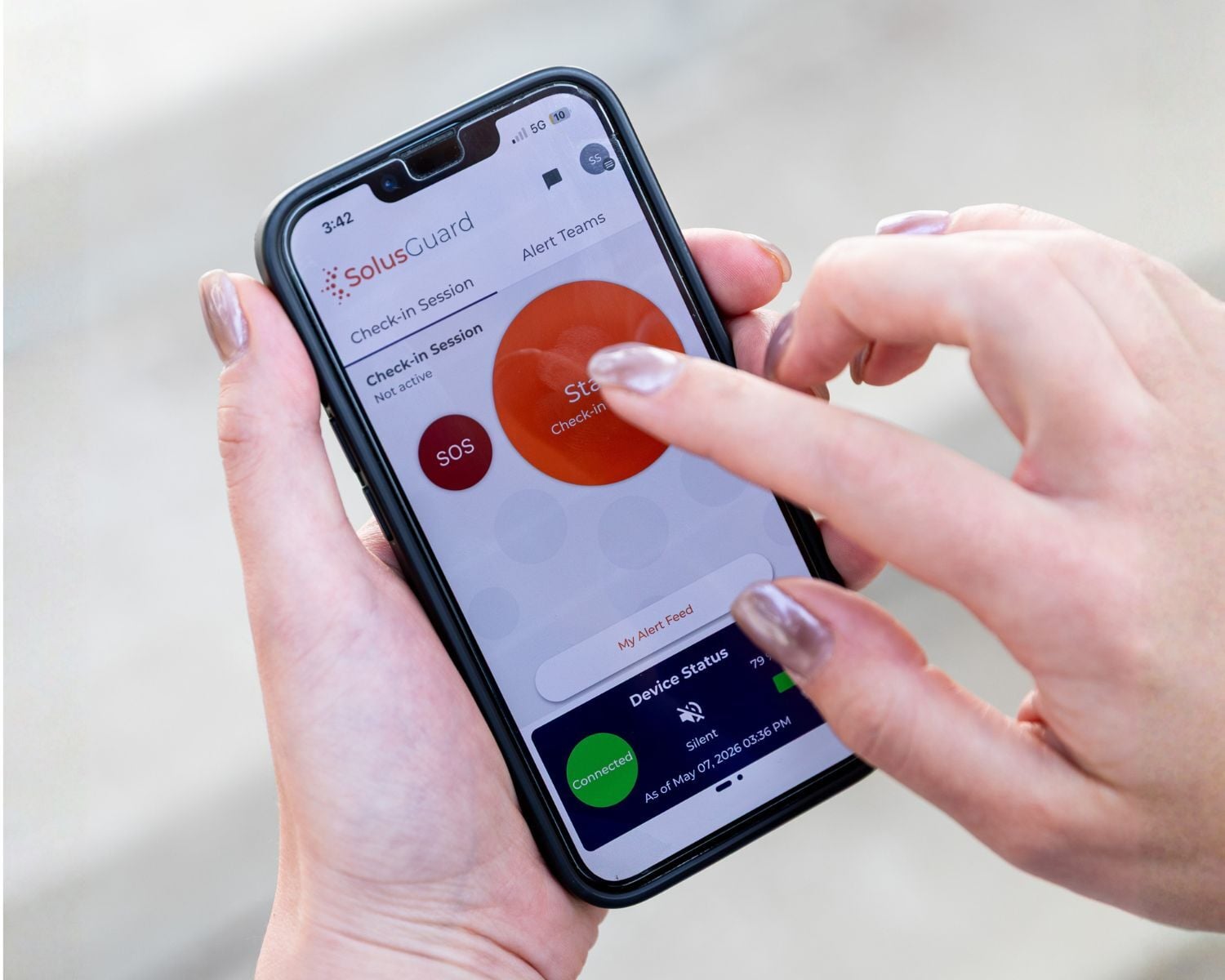
Mobile Safety App
Check-ins and an SOS on the phone staff already carry. A worker starts a session when they head out and ends it when they are back, and if the session lapses the alert goes out on its own.
- Scheduled check-ins for home visits, site rounds and call-outs
- Instant SOS and duress alert from the device already in their pocket
- A missed check-in notifies the contacts that department has designated
- Automatic slip, trip and fall detection
- The Alert Feed gives everyone on the response one shared channel
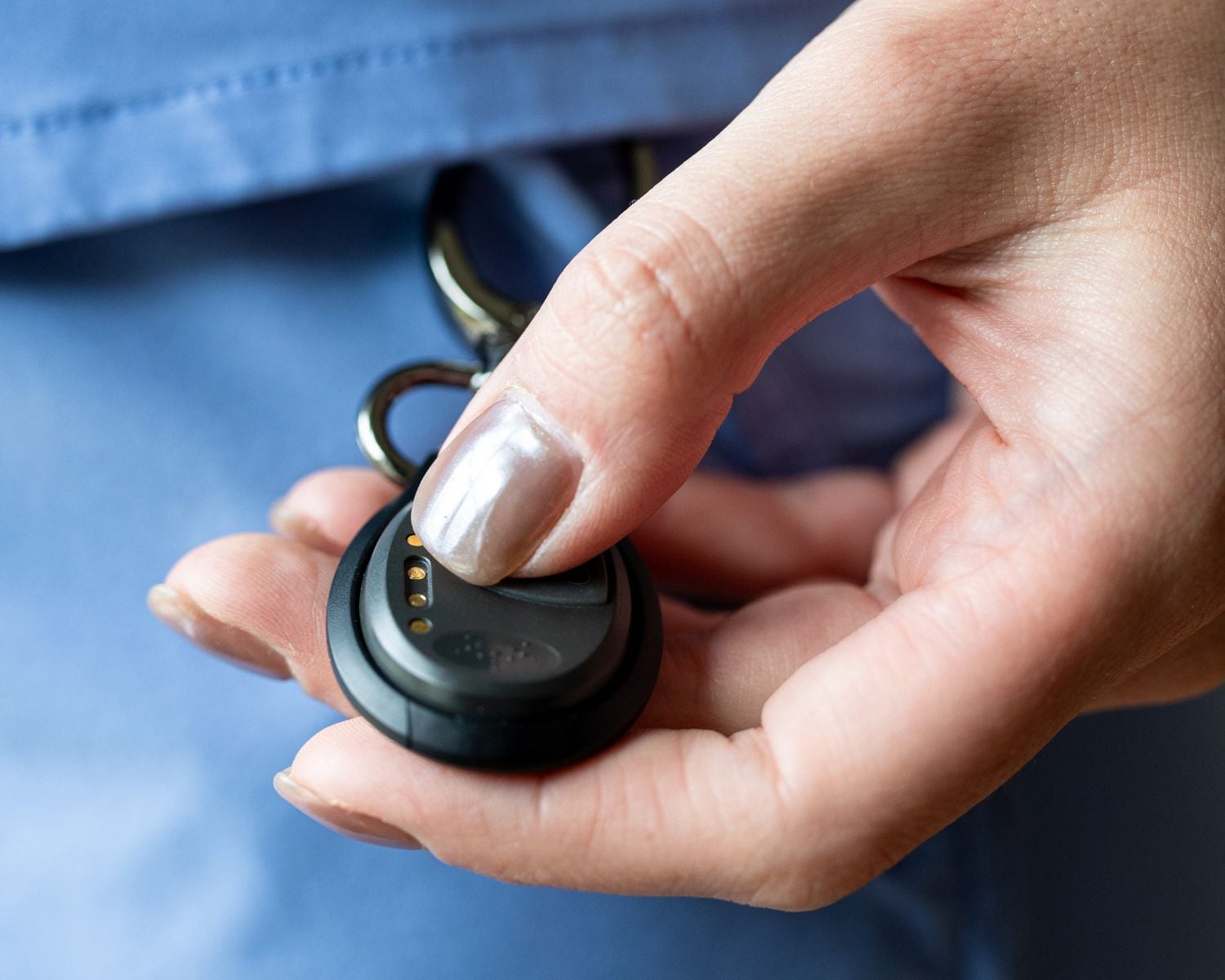
Wearable Duress Button
A small bluetooth button worn on the person. One press sends the alert with no phone to unlock and nothing for the person in the room to notice.
- One press sends an alert, with no phone to unlock
- Silent mode for signalling while someone is still standing there
- An automatic backup call can be set to reach 911 or a number you choose
- Works for a bylaw or code enforcement officer at a door, or a caseworker in a living room
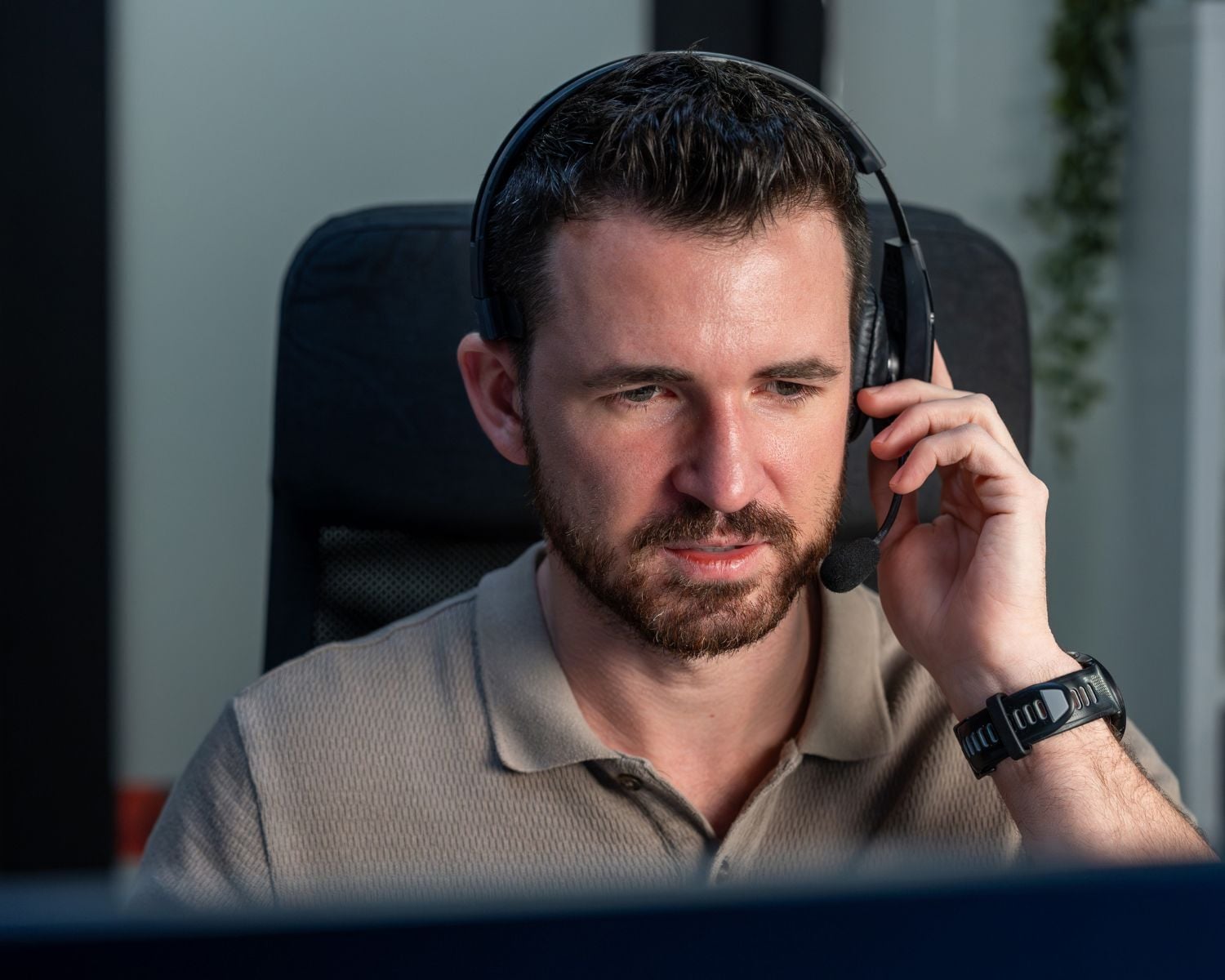
24/7 Professional Monitoring
Our agents watch for alerts around the clock and work the escalation protocol you set for that department, so a 2am water call-out gets the same response as a Tuesday afternoon.
- Live agents 24/7/365, including holidays
- A separate escalation protocol for each department
- Escalates to emergency services if the worker cannot be reached
- Covers the shifts where nobody is at a desk watching a screen
Satellite Extender
Coverage does not stop where cell service does. Crews at lift stations, on rural roads and out in open space keep checking in over satellite with no change to how they work.
- Routes check-ins and SOS alerts over the Iridium network when cellular is unavailable
- Switches between cellular and satellite automatically, with nothing for the worker to do
- GPS coordinates still transmitted with no cell signal
- Devices can be shared across a crew rather than issued to every person
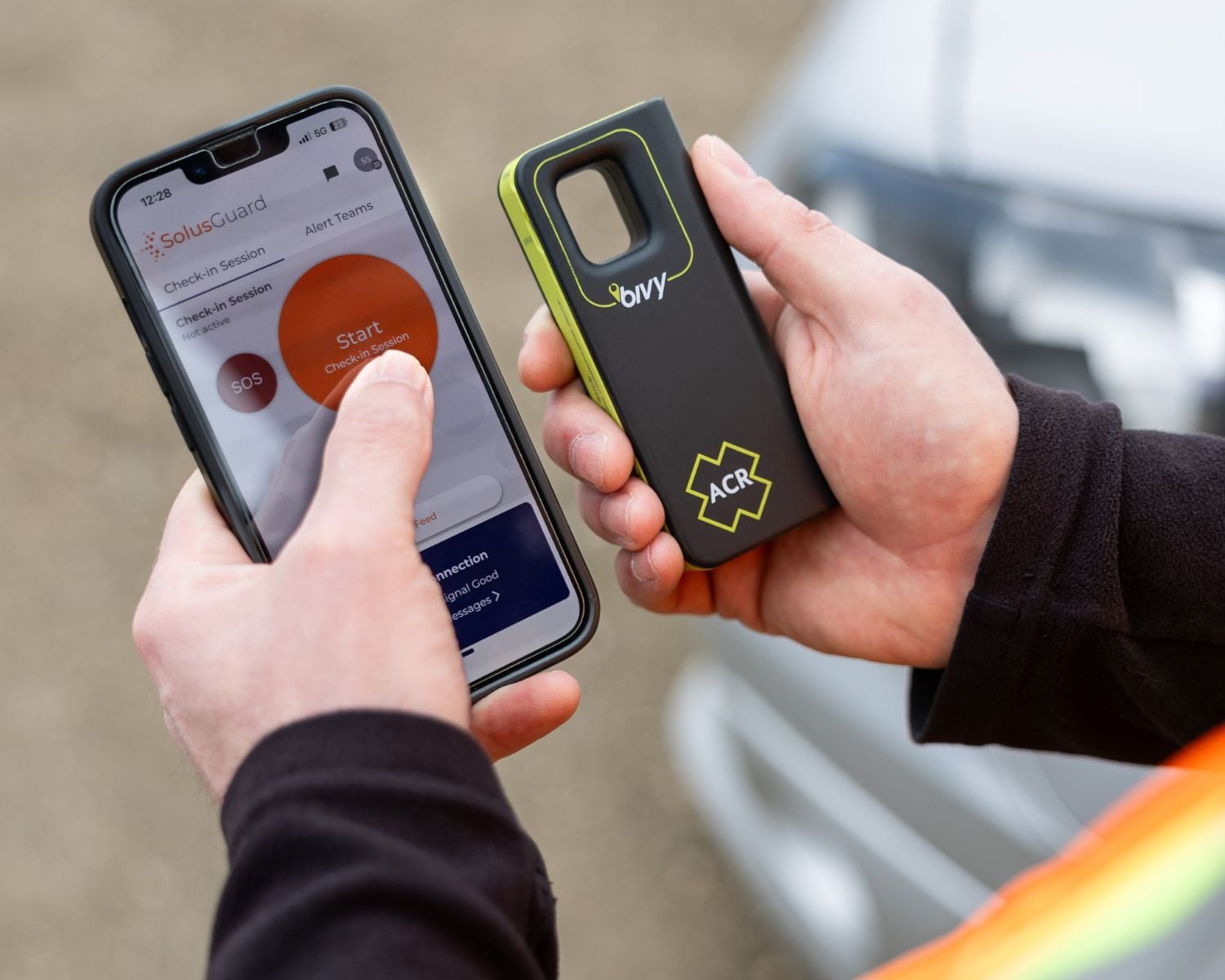
Mobile Monitoring
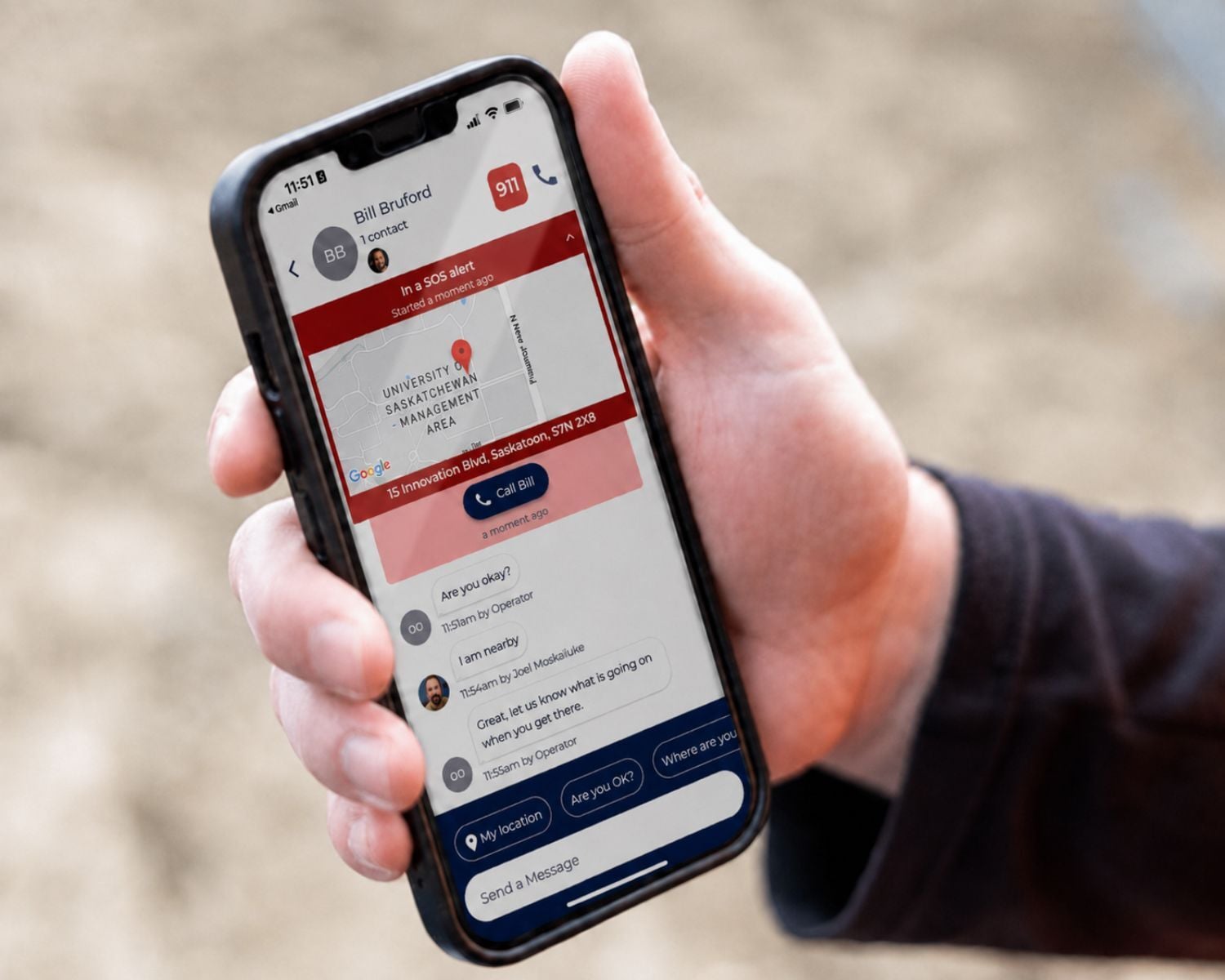
Supervisors take alerts on the phone already in their pocket. Everyone notified sees the same information at the same time and coordinates through one shared feed.
- Push notification the moment an alert is raised
- One shared alert feed so nobody duplicates the response
- No additional equipment and nothing new to carry
- Suits a department that wants to keep the response in-house
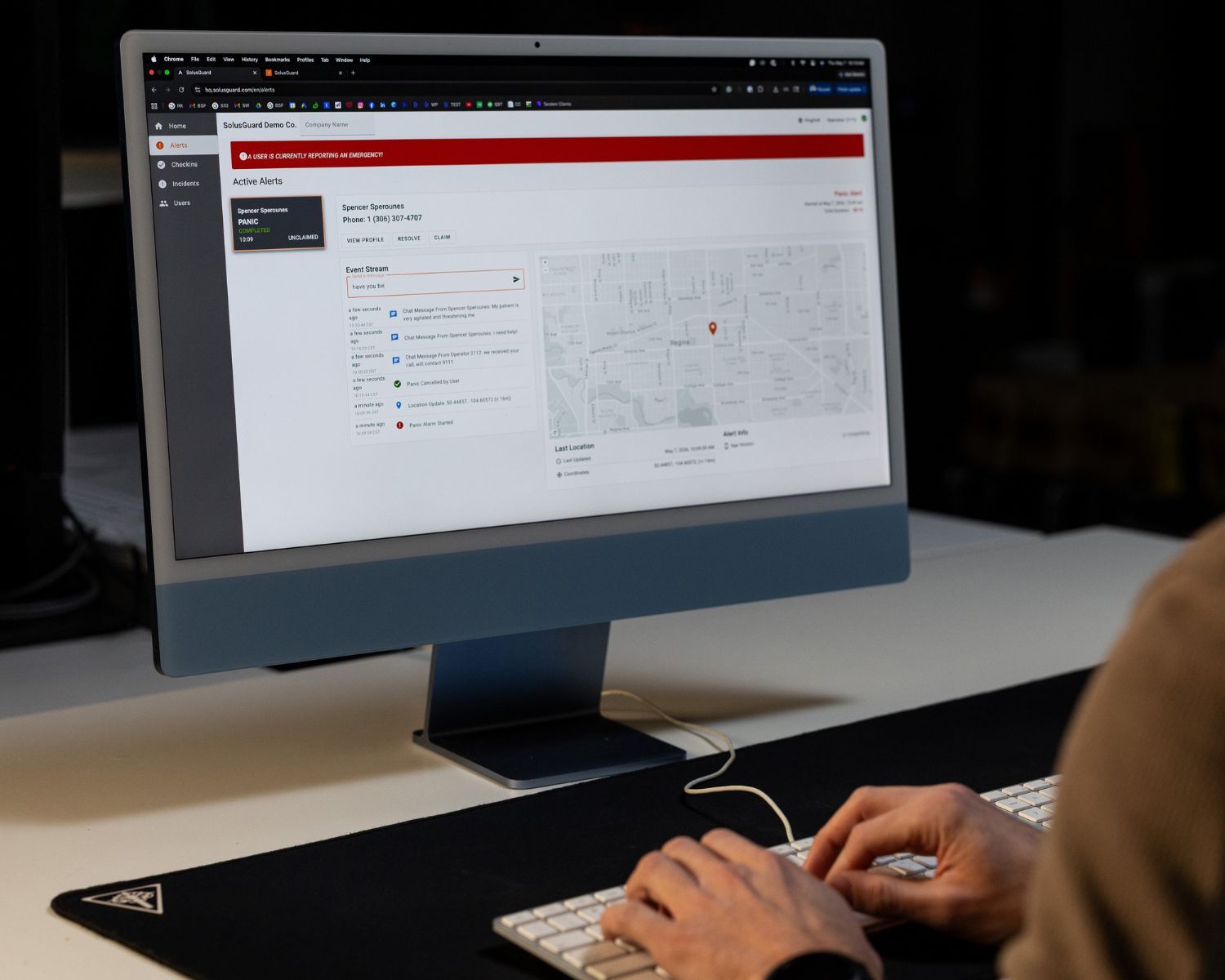
Command Center
An alert console for a corporate safety or security team covering every department at once. One live queue, with the worker's details, location and communication tools on a single screen.
- The same software our own monitoring agents work in
- One live queue across every department on the account
- Claim, escalate and hand off alerts without duplicating the response
- Every action logged automatically to the record in Aware
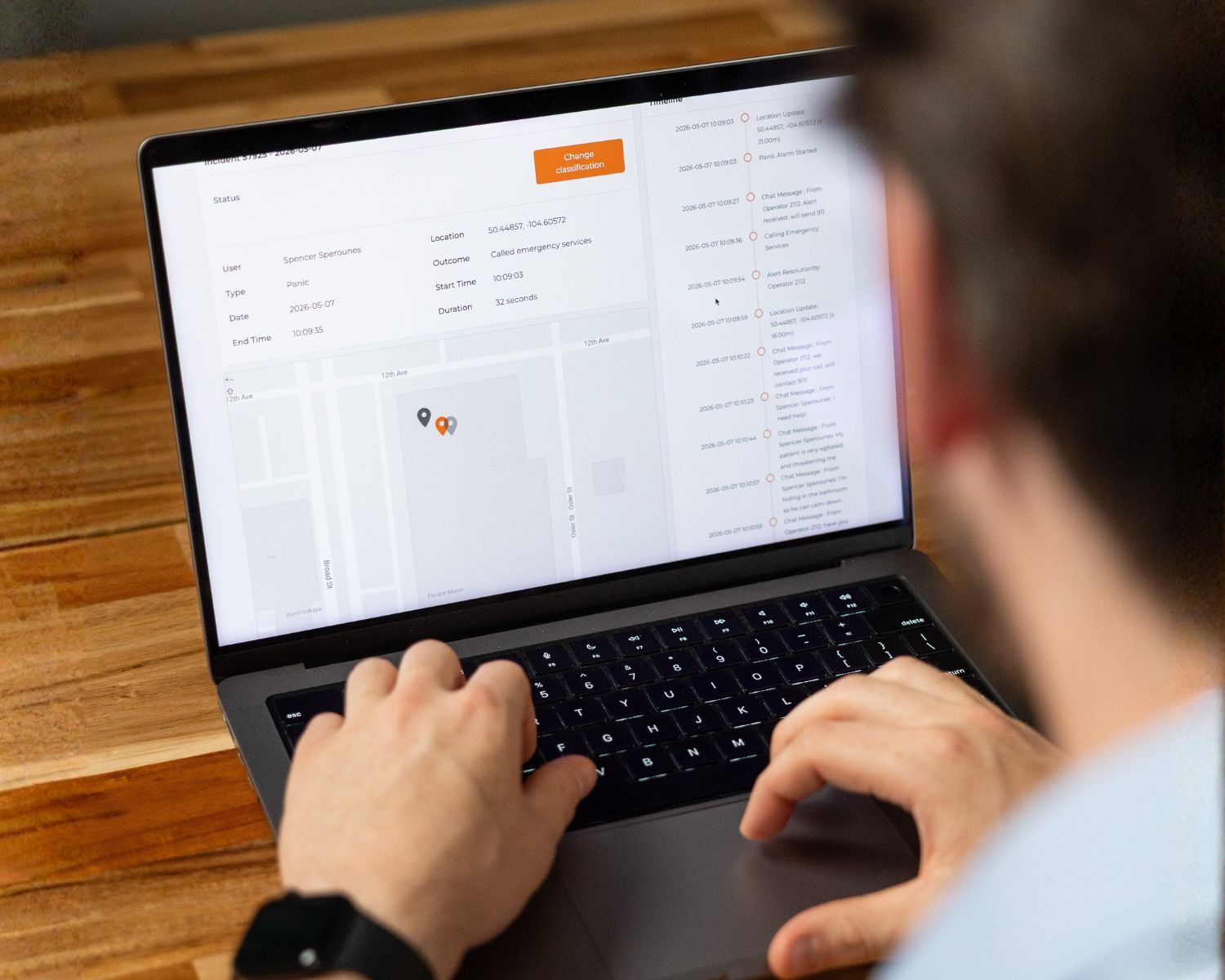
Aware Dashboard
Live visibility, administration and reporting across departments. Every alert and every response is logged as it happens, so the record builds itself rather than being assembled later.
- Administration for every department from one place
- Full logs, with every alert and response recorded and timestamped
- Usage data, so you can see which departments are actually using it
- Role-based access for department supervisors and corporate safety
- Exports when a council, an auditor or a records request asks what was in place
Indoor Location
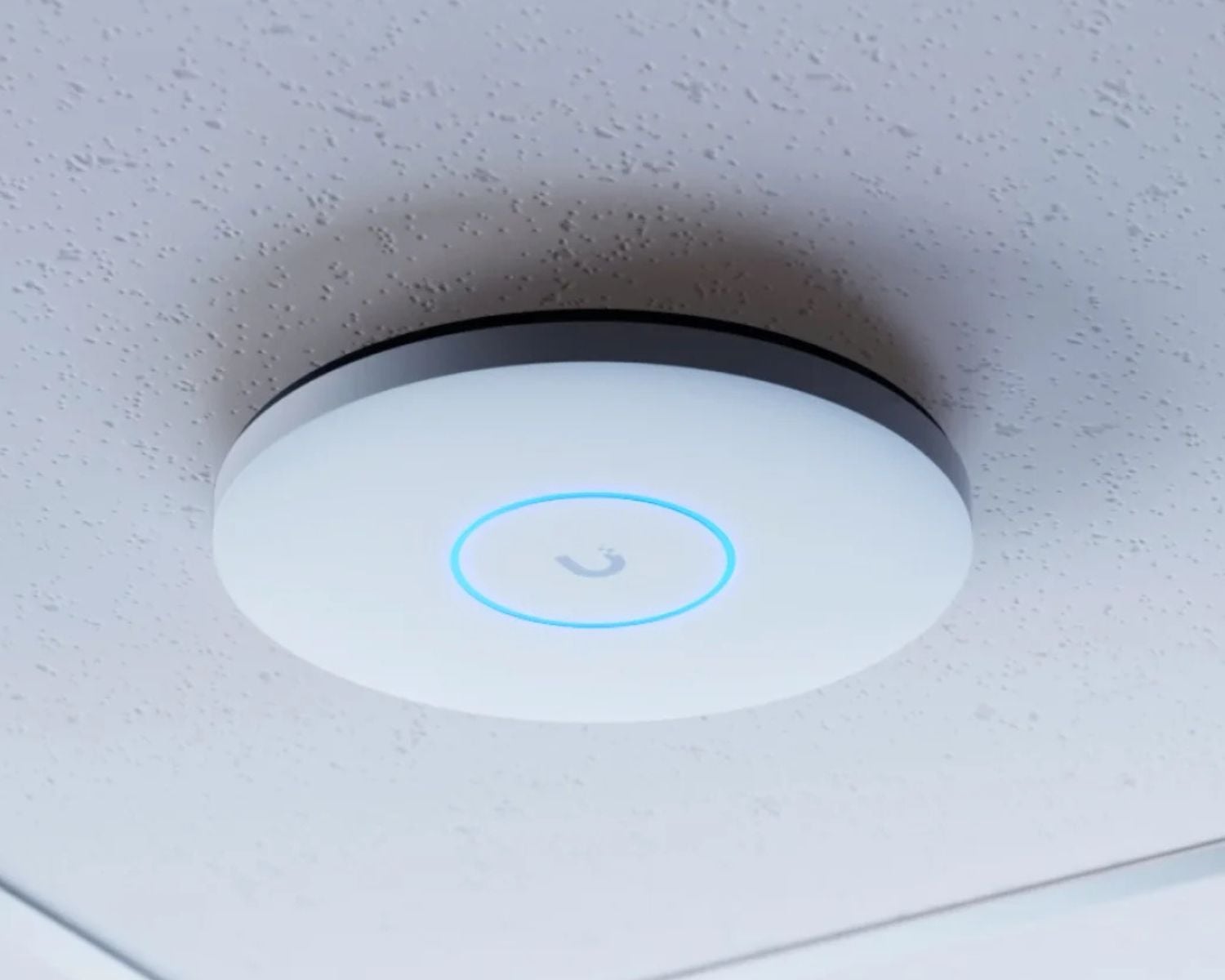
In a rec centre, a library or a treatment plant, knowing someone pressed the button is not the same as knowing where they are. Indoor Location puts a zone on the alert, so whoever is responding goes straight there.
- Zone-level location included with every alert
- Uses the Wi-Fi already in the building, with no new hardware to install
- Works in mechanical rooms, basements and back of house where GPS does not
- Built for arenas, libraries, plants and multi-level civic buildings
How Does Your Safety Program Measure Up?
Take a short assessment to get your personalized Report Card - the legislation that applies to you, and where your gaps are.
Get My Report CardTakes 5 minutes. Completely confidential.
What Levels of Government SolusGuard Works With.
Same system. Different shape at each level.
Federal
Security operations, parliamentary precincts and property services, across sites and time zones.
Provincial and State
Legislative buildings, crown utilities and state judicial departments, where one agreement covers many branches.
Regional and County
Paramedic services, social services and community corrections, delivered across a wide geography.
Municipal
A dozen departments under one roof, each with its own shift pattern, its own risk and its own protocol.
FAQ
Frequently Asked Questions
Anyone working out of sight or earshot of a colleague who could help them. That is a wider group than most organizations expect: the bylaw or code enforcement officer on an evening shift, the water operator at a lift station, the social worker going into a home, the librarian closing up alone, the parks crew member on the far side of a property. The test is not whether the work looks dangerous. It is whether anyone would notice if it went wrong.
Across our government customers the common ones are bylaw and code enforcement, licensing, public works, roads and fleet, water and wastewater, parks, recreation and facilities, social services and housing, paramedic services, building and public health inspection, transit, animal services, libraries and community centres, and front counter staff. Most organizations start with the one or two departments where the exposure is obvious and add the rest once the protocols are proven.
In almost every case, yes. Occupational health and safety law places a general duty on employers to take reasonable care for the safety of their workers, and most Canadian provinces add specific working alone provisions on top of it. Those typically require a hazard assessment, an effective means of communication, and contact at set intervals. The exact wording and the interval are set by your own jurisdiction, so check your provincial or state regulation for the detail. What they have in common is that a phone in a pocket is not treated as a system.
A phone call needs the worker to be conscious, free to dial, and willing to be overheard. Several of the situations on this page break at least one of those. SolusGuard runs as an app on the phone your department already issues and adds the parts a phone call cannot cover: a scheduled check-in that raises an alert on its own when it is missed, a duress button that can be pressed without a word, automatic fall detection, and live location sent with the alert so help goes to the person rather than the address.
This is the gap that catches water and wastewater, roads, and open space crews. A cell-based system goes dark the moment the signal does, and the last known location goes with it. The Satellite Extender pairs with the app and carries the alert and the location out over satellite instead, so a worker at a remote site, down a service road, or in a valley is covered the same way as one downtown.
That is your decision, and it can differ by department. An alert can go to your own supervisors and managers through the shared alert feed, to SolusGuard's 24/7 professional monitoring agents, to your internal team in Command Center, or to any combination of the three. Most municipalities run their own people through business hours and hand the nights, weekends, and on-call shifts to our agents, because that is the window where nobody is at a desk to notice.
Yes, and in practice every organization needs that. A bylaw or code enforcement officer on an evening shift and a water operator at a lift station do not want the same people called in the same order. Each group gets its own check-in intervals, its own emergency network, and its own escalation path, all under one account with one set of billing and one admin view. Emergency networks are configured per user with unlimited contacts at no extra cost.
No, and this is usually the first question a union asks. Location is shared only when it is needed: while a check-in session is running, and during any alert. Outside those moments nothing is collected and there is no location for a supervisor to look at. It is a safety tool, not a productivity tool, and rollouts go far better where staff are told up front what is shared, when, and who can see it.
No. Almost nobody does. The usual path is one department where the exposure is clearest, often bylaw and code enforcement, or water and wastewater, run until the protocols and the escalation lists are right. The rest of the organization is then added under the same account, reusing what you already built rather than starting the procurement and the policy work over again.
Yes. Every check-in, missed check-in, alert, location, message, and response action is logged with a timestamp to the alert's record in the Compliance Dashboard, built automatically as the response happens. When council, an auditor, or an investigation asks for proof that your working alone policy was followed on a specific date, the record is already there and exports directly.
Want to learn more about our solutions & staff safety?
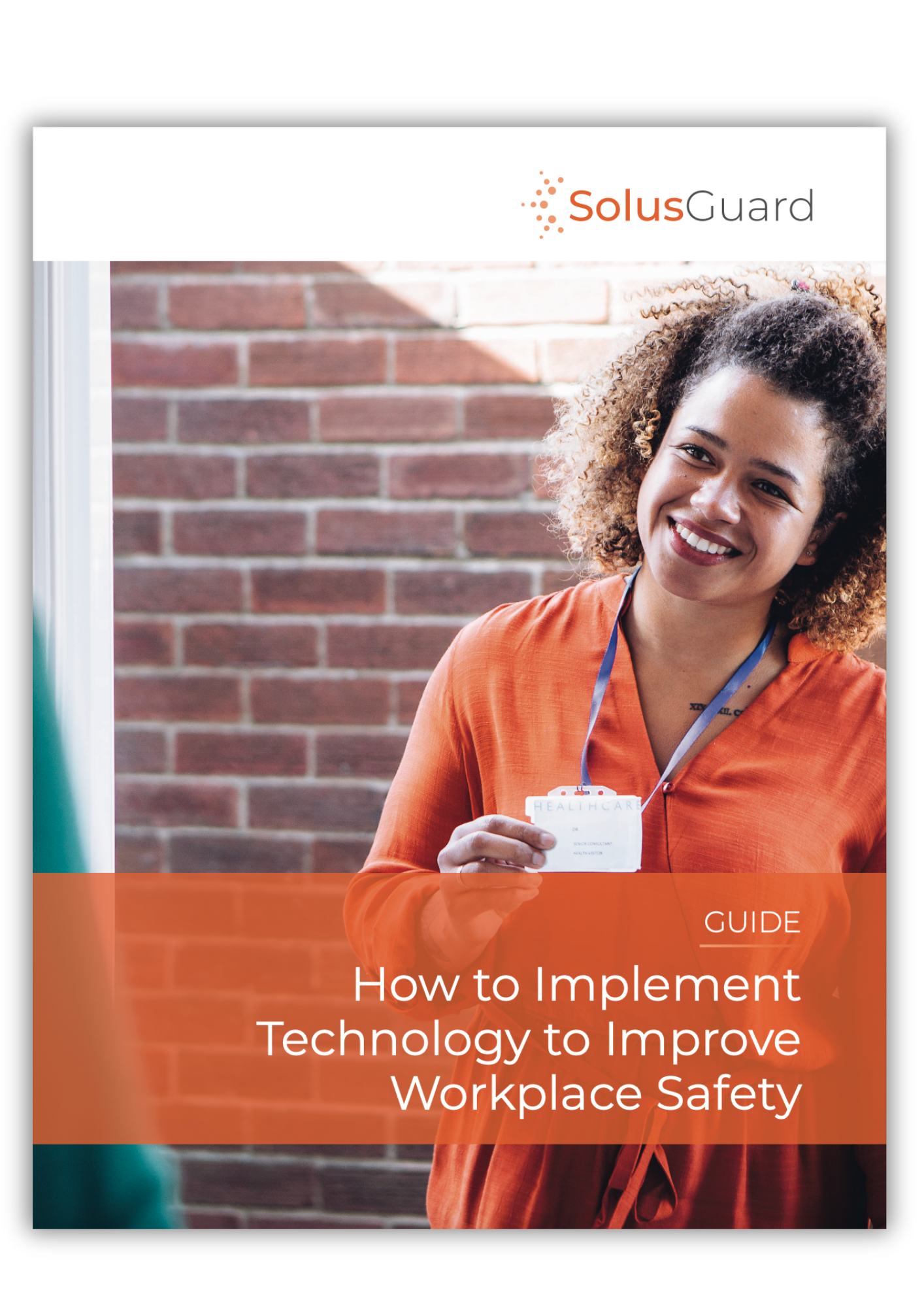
Implementing technology to improve staff safety
Our guide will walk you through how to evaluate different types of technology to improve lone and at risk worker safety.
SolusGuard products and services info sheet
Learn how to enhance safety culture
Lone Worker Safety Platform
Build a Custom Safety System for Your Team.
Chat with a Safety Expert and build your toolkit and escalation paths.
No commitment - just a conversation.