Mobile safety app

A safety system built around how you work.

Know your people are safe, every shift. Check-ins, one-press alerts, and a faster path to help, built from only the tools your team actually needs.

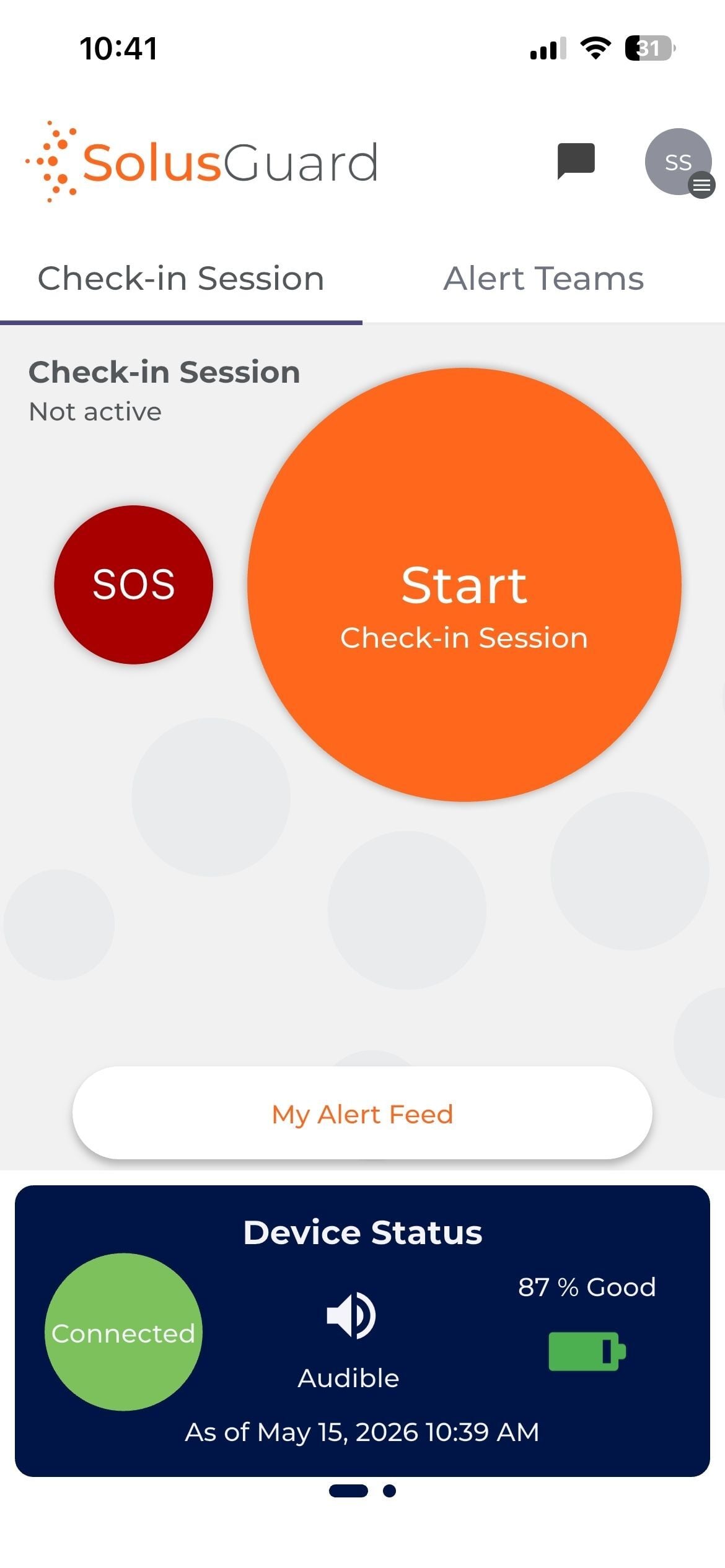
01 / 08Check-InTap Start Check-in Session
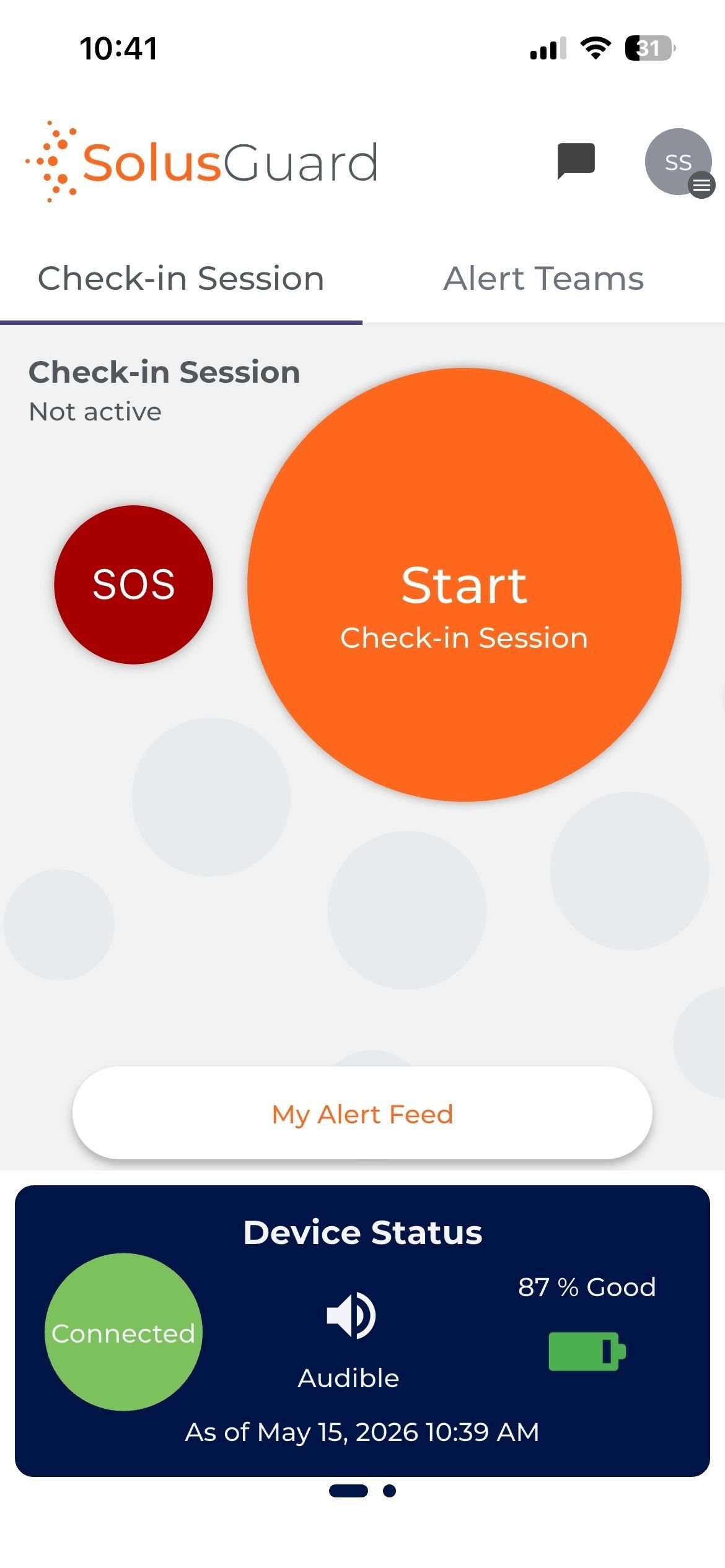
App home screen, check-in not active
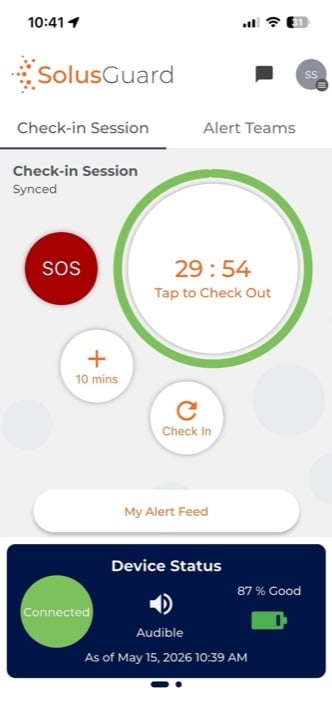
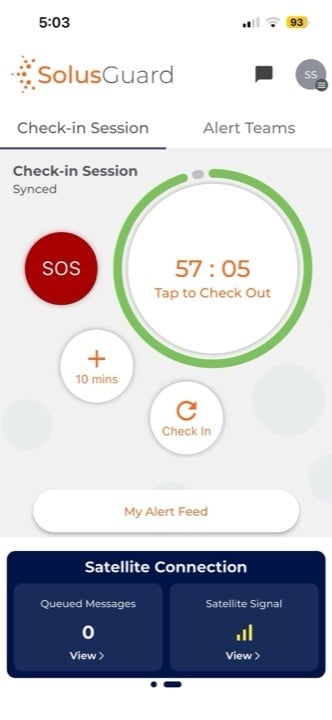
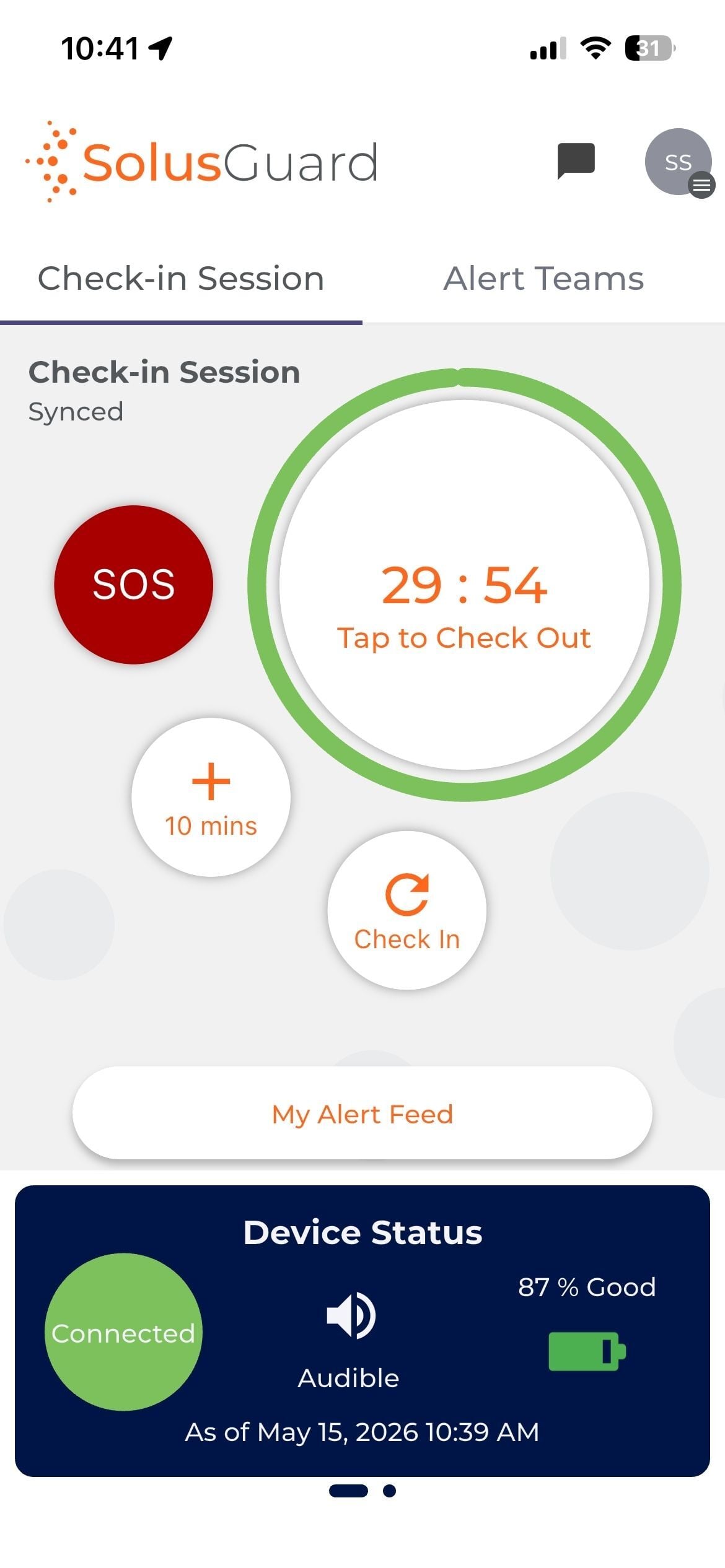
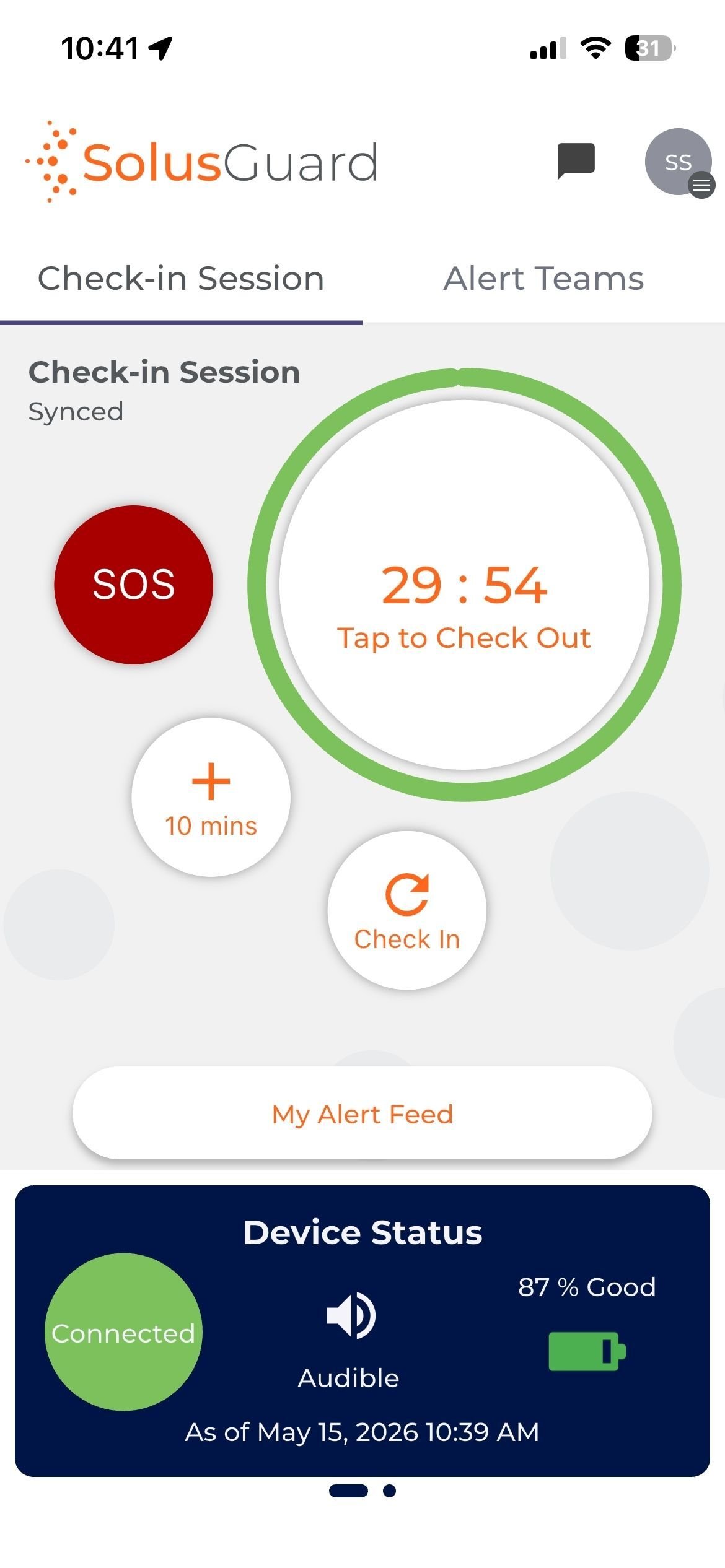
Active check-in session, countdown ring full and green
29 : 54
Tap to Check Out
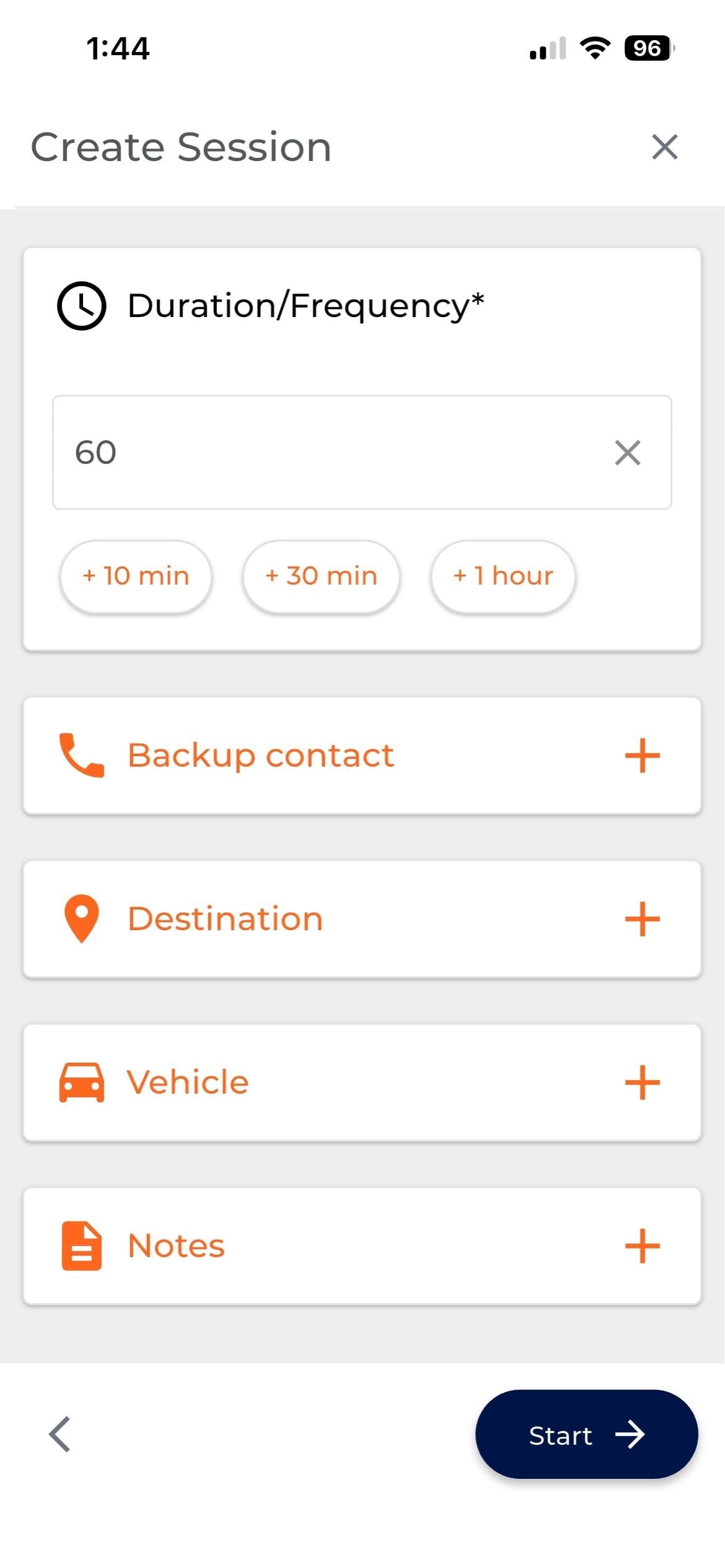
Create Session form with duration, backup contact, destination, vehicle, and notes
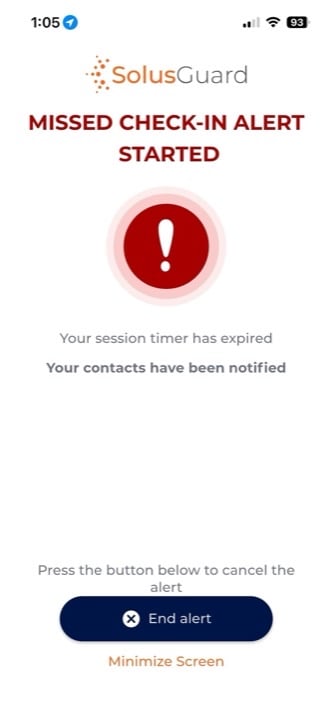
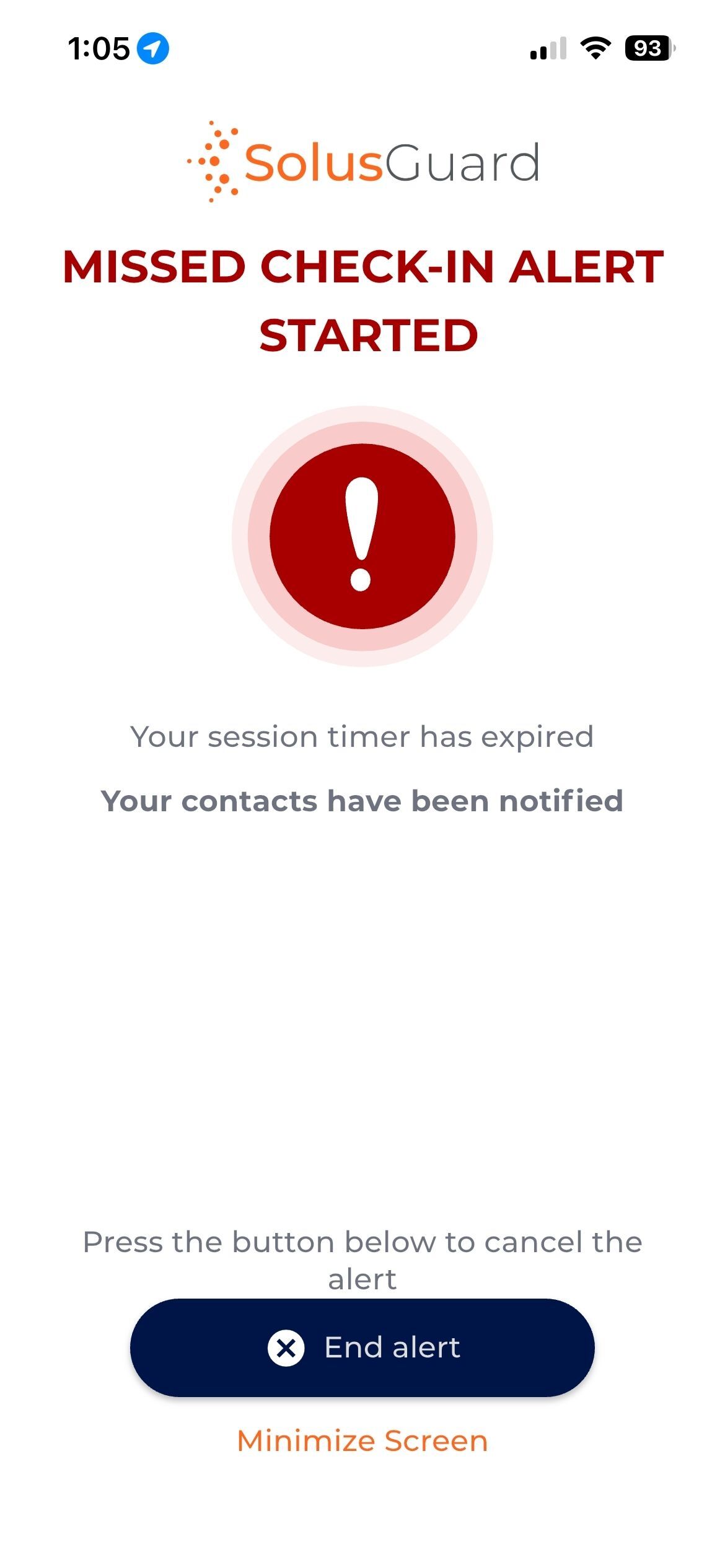
Missed check-in alert started, contacts notified
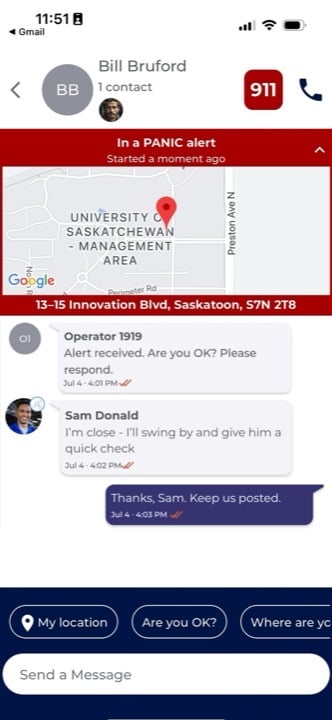
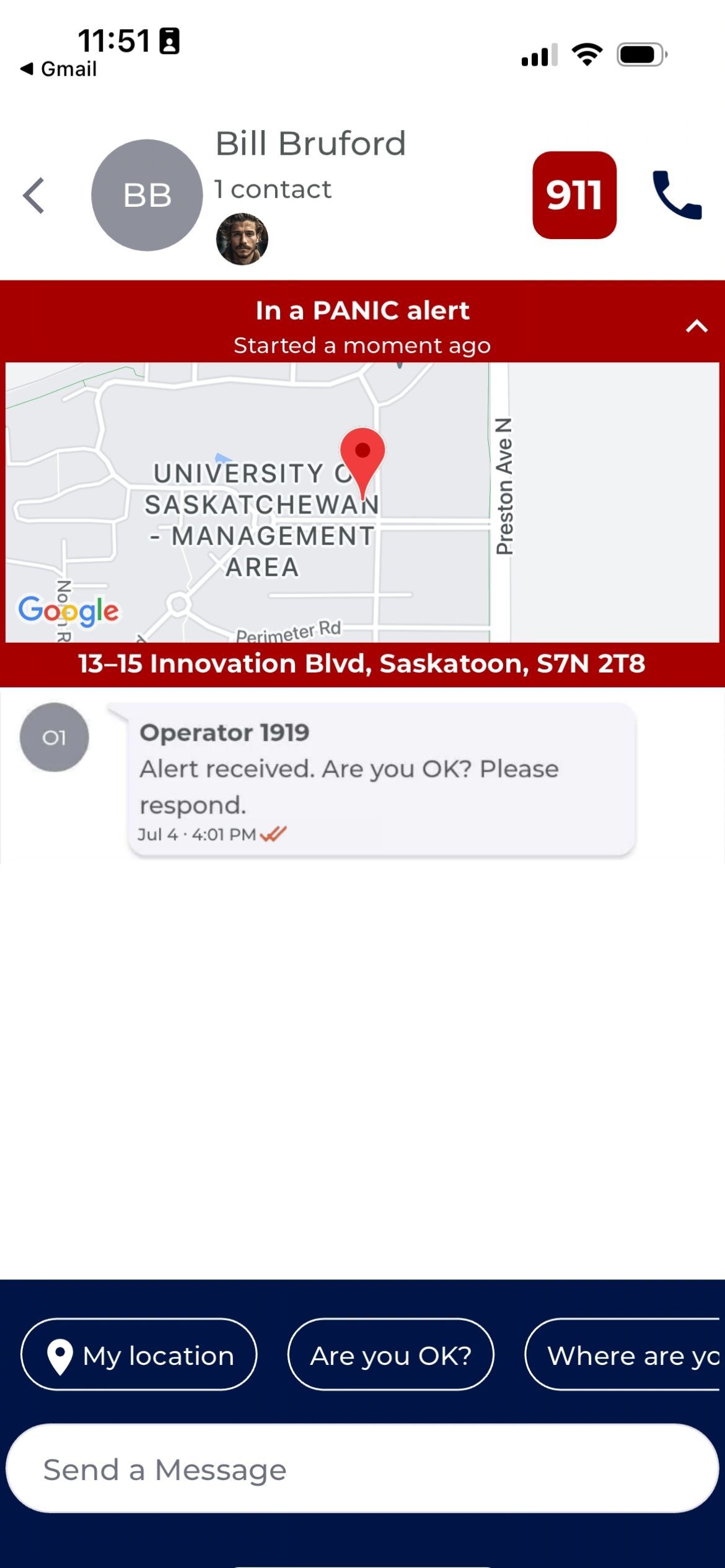
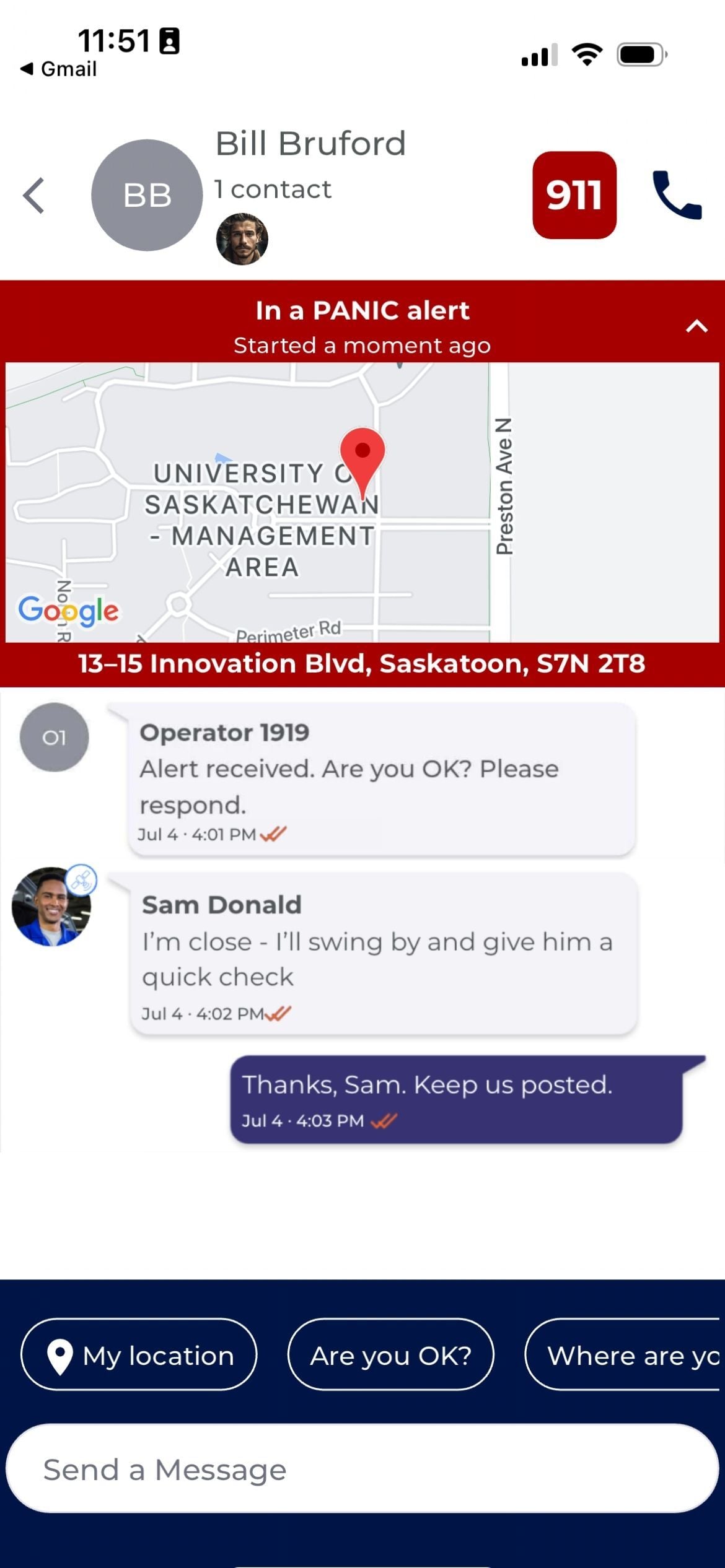
Alert feed with the monitoring operator's first message
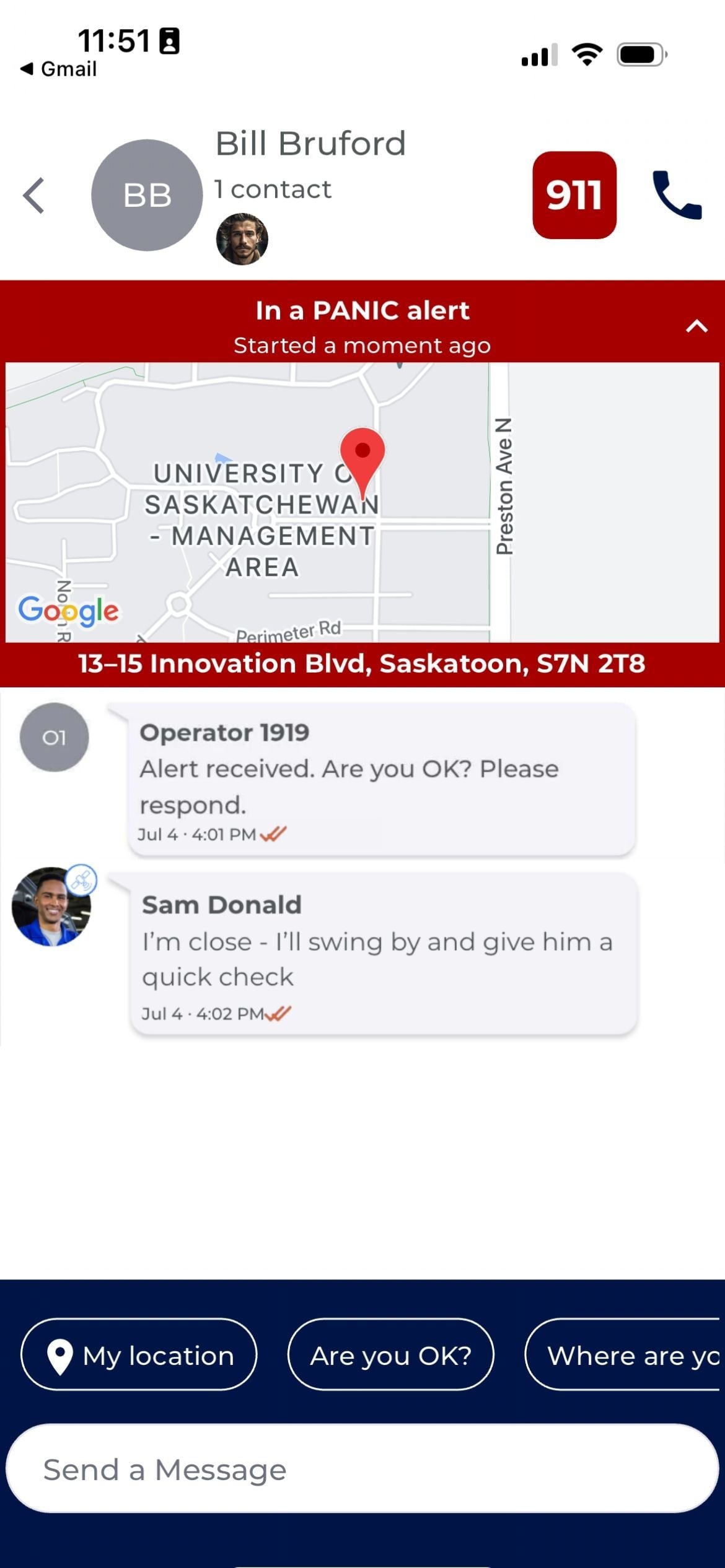
Alert feed with a coworker joining the conversation
Alert feed with the user replying to the coworker
Keeping Scrolling to Explore
Missed Check-in
Missed Check-in
An employee misses their scheduled check-in, and an alert goes out automatically.
In-App SOS
In-App SOS
One tap on the SOS button inside the app sends an alert immediately.
Duress Button Press
Duress Button Press
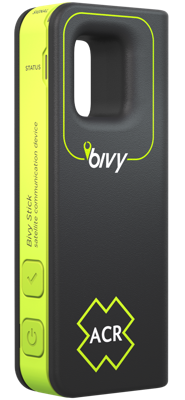
A single press of the wearable panic button sends an alert - no need to unlock a phone.
Fall Detected
Fall Detected
The phone's own sensors detect a hard fall and raise an alert on their own.
But not every shift goes according to plan.

Customer reviews

What safety teams say about SolusGuard

SolusGuard - A customer review on an exceptional lone worker solution

Our overall experience has been excellent, with a reliable lone worker solution that significantly enhances the safety of our people. Combined with exceptional customer service and responsive support, the team has consistently exceeded our expectations.

John

Senior Vice President, HSSE in Canada

Real Estate, 1,001-5,000 Employees
Great Lone Worker App

The experience from introduction to implementation has been seamless. Training went great and our technicians acclimated to use quickly. They even have a decent template for policy.

Roger

Director of Safety and Compliance in US

Construction, 201-500 Employees

Peace of Mind with Exceptional Support

My overall experience reflects a Canadian service with heart and soul, where community safety and compassion support truly matters. We appreciate the professionalism, reliability and commitment to safety that SolusGuard demonstrates.

LinetteWe

Executive Director in Canada

Nonprofit Organization Management, 11-50 Employees

Solus Guard is a great solution to the challenge of working alone/isolation

The process has been very smooth throughout, including sales call, set-up and orientation, tech support, training and invoicing. Any questions that have arisen have been responded to personally and promptly.

Kisae

Operations Director in Canada

Nonprofit Organization Management, 51-200 Employees

Working alone solution for a challenging work environment

They were thorough in their set-up. Support has been excellent for on-boarding teams to the technology, and the staff feedback has been positive.

Robert

Director OHS in Canada

Hospital & Health Care, 1,001-5,000 Employees

Panic Button Technology Review

SolusGuard staff has been wonderful to work with, and the device is easy to use but effective. We also enjoy being able to communicate in the app with staff to ensure they are safe when necessary.

Megan

Deputy Director in US

Law Enforcement Software, 11-50 Employees

Probation Supervisor

I have been using it for the last 7 months and have had very few issues with it. It has ensured our officers safety while they are out in the field, and that is what is most important.

Larissa

Probation Supervisor in US

Judiciary, 11-50 Employees

Free Assessment

How Does Your Safety Program Measure Up?

Take a short assessment to get your personalized Report Card - the legislation that applies to you, and where your gaps are.

Get My Report Card

Takes 5 minutes. Completely confidential.

Location Privacy

The lone worker platform built for user privacy.

A user's location data is not shared or recorded unless they turn on an active check-in session or initiate an alert. That is the whole rule.

No session means no location

With no session and no alert running, nothing is collected in the background and nothing is recorded for a supervisor to open later.

The worker starts a session and ends it themselves, and location stops the moment they check out. An admin cannot start one on their behalf, so it only ever happens when the user turns it on.

Alerts work the same way - the location is shared only when the alert is triggered, and stops being shared after it ends.

No session

SolusGuard app with no check-in session running and no location arrow in the status bar SolusGuard app with a check-in session running, showing the location arrow in the status bar

Alert Feed

When one person needs help, the whole team is already in the room.

Every alert opens a shared feed with that person's emergency network: live location, the context they set out with, and every message and action in one place. Nobody has to be sitting at a desk for it to work.

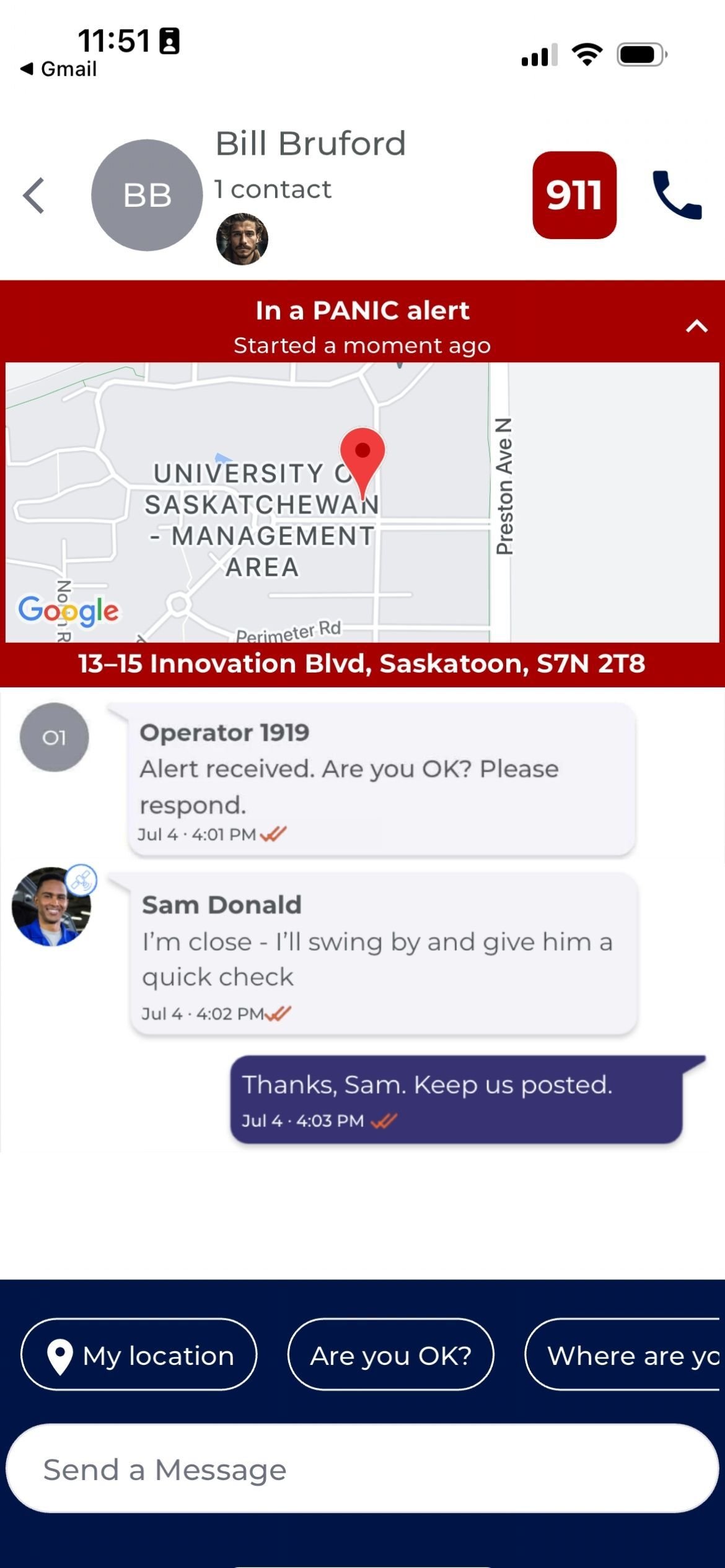
Alert feed showing the employee's emergency contacts, the alert type, live location, a monitoring operator message, a coworker offering to respond, and the check-in details behind the alert
Alert Details
Check-in ACTIVE
Started timeJul 4 · 3:42 PM
Level of RiskMedium
Job TypeParolee home visit
Notes:
Mark seemed really jumpy last couple meetings

The contacts at the top of the feed are the people this employee's alerts go to, not one generic company-wide call list. Networks can be configured on a user level, so a field tech three hours out of town and an office manager downtown each get the people who can actually help them. Contacts are unlimited at no extra cost, so you can add a supervisor, a spouse, a second site lead and the rest of the shift crew without a per-contact fee deciding who gets left out.

The feed says what kind of alert it is the moment it opens, so responders know what they are dealing with before reading a word of the thread. A missed check-in and a duress alert are not the same event, and they do not have to get the same response. You set who is notified first for each type, how long it waits before moving to the next person, and when it gets handed off for help, so a quiet reminder stays quiet and a real emergency moves fast.

The moment an alert fires, live location goes into the feed and keeps updating as the person moves. Nobody has to call around asking where they were last seen, and nobody has to recall an address under pressure. The team opens the feed already knowing where to go instead of starting with a name and a question mark.

On the way out, the employee records what they are heading into: job type, level of risk, and any notes they want on file. If an alert fires while that check-in is running, all of it opens with the alert, so the people responding already know it is a parolee home visit and that Mark has seemed jumpy the last couple of meetings. That context came from the person who set it, before anything went wrong, and nobody has to reconstruct it from a calendar entry.

Add 24/7 professional monitoring (optional) and the operator's actions post into the same feed your team is already watching. You can see the alert was received, see the operator reach out, and see whether they got an answer back. Managers get proof that something is being done as it happens, in writing, without calling anyone for a status update.

Everyone in that person's emergency network is notified at the same time, so the closest teammate can speak up instead of waiting to be assigned. At a remote site that coworker is often minutes away when emergency services are much further out. The team can pool what they know, agree on who is going, and respond directly when that is the fastest way to help, or escalate to emergency services from the same screen.

Every location, message and timestamp is logged to the alert's record in the Compliance Dashboard, ready when you need to show what happened.

FAQ

Frequently asked questions

Yes. The SolusGuard mobile safety app automatically reroutes check-ins, alerts, and messages over a paired satellite extender when a phone can't reach a cell tower, using the Iridium satellite network for global, 24/7 coverage. No manual switch is required.

No. The SolusGuard app does not continuously track an employee's location. Location is only shared while a worker has an active check-in session running, or after they trigger an alert. Outside those two moments, no location data is collected or visible to anyone.

Yes. The SolusGuard app can automatically detect a fall or a period of unusual non-movement and trigger an alert without the worker needing to do anything. That alert follows the same notification and escalation process as any other SolusGuard alert.

Not the way an always-on tracking app would. The SolusGuard app doesn't run continuous background tracking. Location and connectivity are only active while a check-in session is running or an alert is in progress, not constantly in the background.

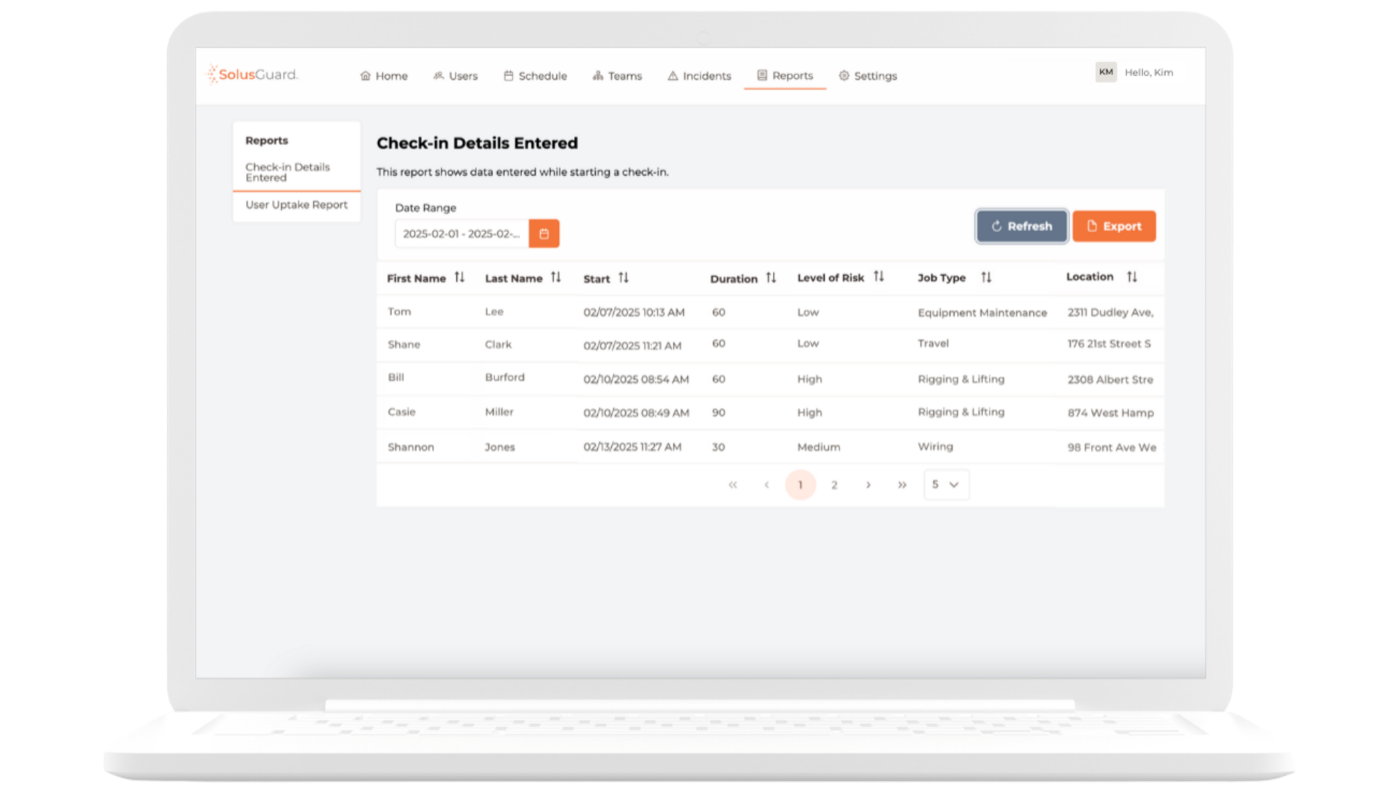
Yes. SolusGuard automatically logs every check-in, missed check-in, alert, and response with a timestamp to the Compliance Dashboard, building a complete record without manual work. If an auditor asks for proof a lone worker policy was followed on a specific date, the record exports directly.

No. Each employee's SolusGuard emergency network can include as many contacts as needed, at no extra cost. Networks can be personal to one employee, standardized across a team, or a mix of both, and everyone added is notified the moment an alert fires.

A wearable duress button is a small device an employee can wear or carry that pairs to their phone and lets them trigger a duress alert without opening the SolusGuard app. Pressing it starts the same alert and escalation process as triggering one from inside the app.

Yes. A worker wearing a paired wearable duress button can trigger a SolusGuard alert with a single press, without unlocking or opening their phone. This is designed for moments when reaching for a phone isn't fast enough or possible, such as during a physical confrontation.

The alert reaches the worker's emergency contacts immediately and appears in real time in the team's SolusGuard Alert Feed, along with their location and any details already entered into the app. If professional monitoring is active, a dedicated agent also picks up the alert and follows the set escalation steps.

Not in the sense of employees being watched. SolusGuard's professional monitoring service means a dedicated agent picks up and manages an alert the moment it's created, following your organization's escalation steps, available 24/7. The service only activates once an alert fires, not continuously.

Resources

Want to learn more about our solutions & staff safety?

Lone worker safety platform

Build a Custom Safety System for Your Team.

Chat with a Safety Expert and build your toolkit and escalation paths.

No commitment - just a conversation.